

Free Sound Recorder

   English English  Deutsch Deutsch

I LOVE this program. I used it for all my audio recording from old cassette tapes to even video audio! I record stuff on my digital recorder and easily transfer it to my PC flawlessly! I still don't know why it free!!

Francis Wilson on June 24, 2009
@download.com


I've never found a better one than this. I kept using for some time and got many of my audio files processed nice and quickly.

Anderson1100 on June 25, 2009


It is really of great assistance to make such a program free....with my best regards

Maurice Adams on June 16, 2009


More praise for Free Sound Recorder

Free Sound Recorder Screenshots

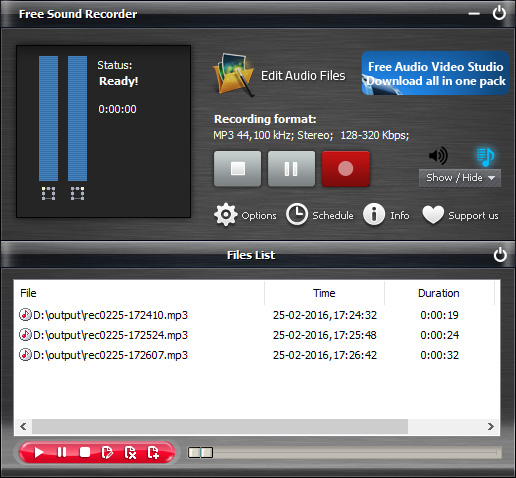
We took only few screenshots to give you an idea of how it looks like. Take the Free Sound Recorder Feature Tour to learn more.

Free Sound Recorder the idea solution to:

Capture any sound played by a computer (including live Internet broadcasts).

Record sound coming through a microphone or played by an external device such as a tape player, LP player, portable music player, etc.

Record Internet broadcasts on a user-defined schedule much like a conventional VCR.

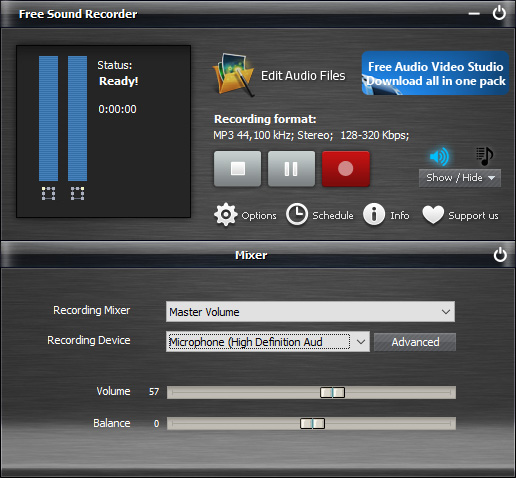
Free Sound Recorder Main Screenshot

Settings

General Settings

Here you can set: Output File Type; Recording View Mode; Output Directory

General Settings

Output Format Settings

Selecting the desired recording quality

Before you start recording, you have to select the desired sound quality of the recording in the Free Sound Recorder Settings window.

The easiest way of choosing a level of compression for your recording files is to use the Preset Quality slider.

Output format settings

Voice Active System Settings

If signal is below the Attack Level for more than Attack Time, beginning of that spot in the audio will be considered beginning of silence.

If signal is above the Release Level for more than Release Time, beginning of that spot in the audio will be considered end of silence.

Silence Definition

For very quiet high quality audio, the Attack Level and Release Level value will be lower (like -60dB). For noisier audio, the value may be much higher (like -30dB).

If audio is above this given threshold for more than the number of milliseconds given, audio will be considered valid, and not silence. Use higher values for Release Time to ignore short periods of audio (like clicks, static, or other noise). If this value is too high however (above 200ms), short words may be skipped.

Using voice active system

Automatic Gain Control

Sound cards use AGC (Automatic Gain Control) to improve recordings.

The following properties allow to set parameters of AGC: High Level, Low Level, Attack Time.

The volume will be decreased if the level is more then High Level. And the volume will be increased if the level is less then Low Level. The rate of the volume changing is equal to (20db / Attack Time).

AGC Control


Enjoy sound recording easy as making a cup of coffee.
100% Free!

Download Free Sound Recorder Free Sound Recorder runs on all versions of Windows from 98SE through Server 2008 and Vista.

Minimum hardware requirements:
Intel Pentium® or AMD K5 processor with 166 MHz
16 MB RAM