

Praise for Free Sound Recorder
The following is a list of quotes by our customers that we feel shows our pride in how we do business.
Recommended
by CNet “These days, there is a plethora of audio content available
to stream over the Internet. Even traditional terrestrial radio often
offers content streamed over the Web, diversifying the choice in how
consumers enjoy music and other audio. Although the legality is questionable,
there are--and will always be--ways to record these streams. Streamed
audio recordings for music are not going to offer the same sound quality
as a ripped CD or even a purchased MP3, but it's it's a good option
for talk programs and other audio. This tutorial will show you how to
record streamed audio as an MP3, just be sure to read the usage rules
for any recording source before beginning...”
CNet Download.com on July 29, 2011
"I LOVE this program. I used it for all my audio recording from old
cassette tapes to even video audio! I record stuff on my digital recorder
and easily transfer it to my PC flawlessly! I still don't know why it
is free!!”
Francis Wilson on July 18, 2011
“Finally a product that is simplistic enough and works! I was looking
for a program to do what I needed to do and this product exceeded my
expectations. This is how software ought to be. I love the features
of watching TV programs and listening radio stations online. Yes!”
Lanny Royce on July 10, 2011
“I've never found a better one than this. I kept using for some time
and got many of my audio files processed nice and quickly.”
Anderson1100 on June 27, 2011
“This is absolutely the best program for audio recording. Free Sound
Recorder can easily record any sound of voice from microphone, movies,
music player apps and many other sources. In some cases I can change
some hotkeys to suit my needs.”
Allan Fergus on June 17, 2011
“It is really of great assistance to make such a program free....with
my best regards. ”
Maurice Adams on June 5, 2011
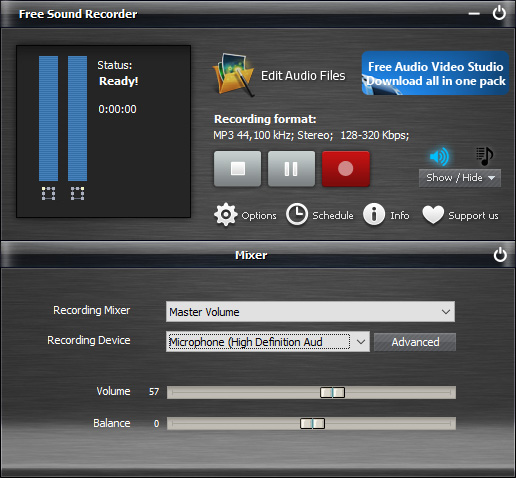
“Extremely simple to use. One jack goes to cassette recorder and other
end goes to line-in of computer sound card. Choose your directory. Choose
your recording format. Mouse-click on the red record button, then name
your file. Press OK to start. ”
Pkrok on May 21, 2011
“This product was exactly what I was looking for. I plugged in my microphone,
recorded my presentation in MP3 format, then done! I burned it to a
CD and done. Free! NO RESTRICTIONS! This is the most user friendly audio
recorder I have used ”
Gaétan on May 12, 2011
“Finally I found this freeware, so i can make a music DVD. This helps
a lot! Thanks!”
gainsborough112 on April 2011
“Very user friendly, lots of features, nice piece of programming.”
jj728839 on April 8, 2011
“Your guys really did a good job! Free Sound Recoder you produced is
second to none. It helps me schedule a recording to record my favorite
radio programs at a specified time so that I can deal with my job or
other obligations. In this case, saving much time and recording radio
programs are both done!”
Edwin Wells on March 19, 2011
“Excellent product, does the job straightforwardly!”
coard_c on February 20, 2011
“They build my dream! Great solution! Not to mention the technical support!
Wow !! My project will soon be completed and I'm really glad I found
Music Editor Free.”
Larsen on January 15, 2011
“Absolutely excellent software. This is the best audio recorder software
I have seen and I have been testing lots for a couple of months now.
The support is amazing!”
Fernandes on December 25, 2010