Download Free Sound Recorder Now
Step 1. Launch Cool Record Edit Pro
Launch Cool Record Edit Pro. There are three ways to launch it.
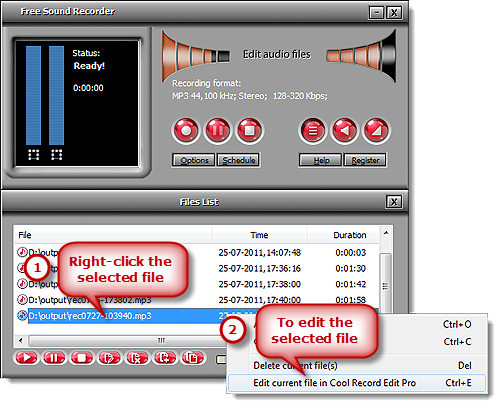
A: Right-click on the listed file which you want to edit and choose “Edit current file in Cool Record Edit Pro” from the menu.
B: Select an audio file from the list and click the “Edit current file in Cool Record Edit Pro” button below.
C: Use keyboard shortcut “Ctrl+E” to activate Cool Record Edit Pro.
Step 2. Edit Selected Audio Part
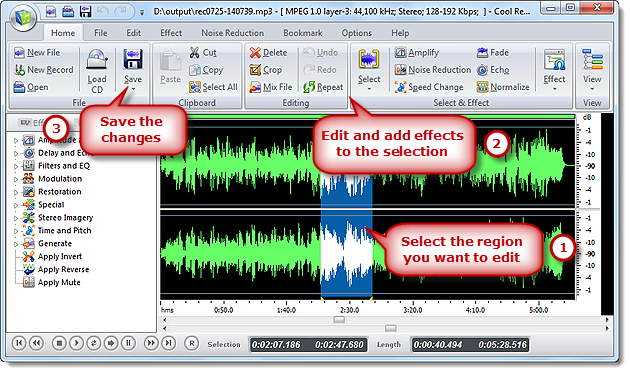
Now the selected audio file is imported to the Cool Record Edit Pro, with its waveform displayed. With this visual music editing tool, you can easily enhance your recording and other sound files. You need to select a region to edit. Then, you can cut, copy, paste & delete any selection; audio effects like echo, fade in, fade out, amplify, normalize and more are provided for cool audio creation; what’s the best, you don’t have to worry about little mistakes as we provide unlimited UNDO/REDO operation. When you have finished the editing, you just need to click “Save” to choose quality settings & save the result.