
Download Free Sound Recorder Now
Step 1. Activate “Add and Edit Stations” Window
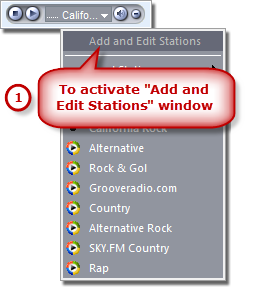
Click the down arrow on the radio player and select “Add and Edit Stations” from the dropdown list.
Step 2. Enter the Search Keyword
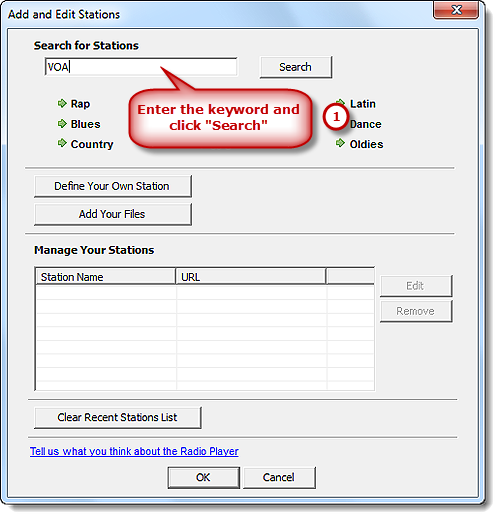
A window is activated and you can enter the search keyword in the search box. Then, click “Search” to find the stations you want. It also provides various of music styles like Rap, Rock, Blues, Country, etc. to meet your needs.
Step 3. Add Selected Stations to the Station List
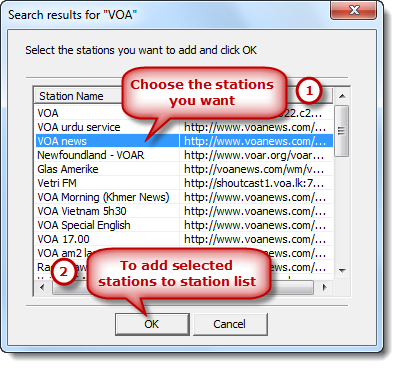
After you click “Search”, a searching results window pops up with Station Names & URLs listed. Choose one or more of them and click “OK” to add to the station list.
Step 4. Edit Your Station List
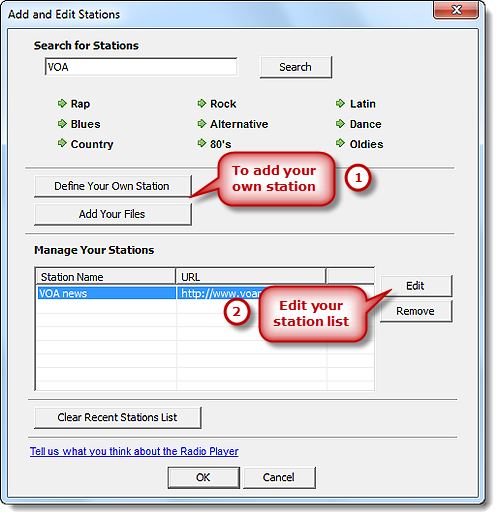
It also allows you to add your own station by “Define Your Own Station” & “Add Your Files”. You are allowed to edit your station list: change the names, stream URLs, player types or remove any of them. Then, click “OK” to add stations to your station list.
Step 5. Find Your Stations
After you add stations to your station list you can play them. Just click the drop-down arrow on the radio player and you will find them in the dropdown menu of “My Stations”.

